A quick workout is an empty workout. You add exercises as you go, so it suits days when you train without a plan.
From Home
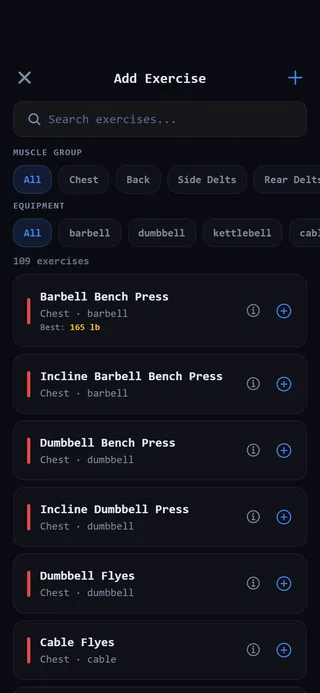 Add exercises as you go.
- Open the Home tab.
- Tap Quick Workout.
- Tap Add Exercise and pick your first exercise.
The Quick Workout card only shows when no workout is going. If you have no program yet, the TODAY card also has a link, or start a blank workout, that does the same thing.
From the Programming tab
- Open the Programming tab and select Routines at the top.
- Scroll to the bottom and tap Start Empty Workout.
Plan it first with Build a workout
If you’d rather lay the workout out before you start, use the builder.
- On Programming, under Routines, tap Build a workout.
- Give it a name in Workout name (optional), or leave it blank.
- Tap Add Exercise for straight sets, or Add block for a superset, circuit, AMRAP, intervals and more.
- Tap Start workout.
You can also tap Save as routine on the same screen to keep the workout for later. Saving needs a name.
If a workout is already going
You can only have one workout open at a time. If you start a new one while another is going, you’ll see You have a workout going. Tap Resume to go back to it, or Discard and start to throw it away and open the new one. If the old workout has logged sets, the message tells you how many will be deleted.
Repeat a past workout
To do a workout again, find it under Recent Workouts on Home or in History on the Progress tab. Open it and tap ↻ Repeat this workout. The same exercises load, ready for you to beat last time’s numbers.
Keep it for next time
When you finish a quick workout, the WORKOUT COMPLETE screen shows Save as Routine. Tap it, name the routine, and tap Save. See Save a workout as a routine for more.